
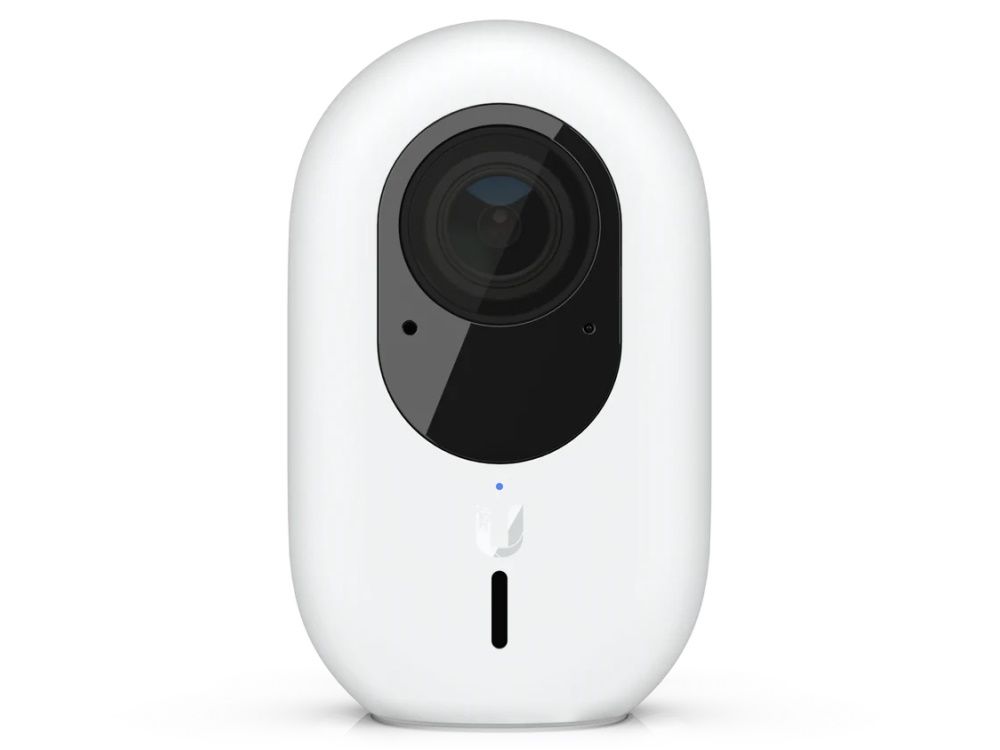
Ubiquiti UniFi G4 Instant Security Camera
Secure your indoor space with the Ubiquiti UniFi G4 Instant camera. This 2K HD 5MP camera with infrared night vision delivers razor-sharp surveillance images over WiFi. In addition, the G4 Instant provides two-way audio and the security camera is easy to install via the UniFi Protect app.
- Fixed viewing angle: 102.4°
- Resolution: 5MP, 2688x1512p
- Powered via 5V USB adapter
Availability: In stock

Features Ubiquiti Protect G4 Instant Camera:
Security camera with 2K resolution (5MP; 2688 x 1512p) and 30 FPS
Viewing angle horizontally fixed: 102.4°
Night vision; with infrared LEDs and IR cut filter
Management via UniFi Protect controller software
Works with the UniFi Protect app (Android and iOS)
Built-in microphone (can be turned off) and speaker
WiFi 5 (802.11ac) and Bluetooth
Power supply via USB power adapter (included)
With mounting bracket for wall mounting
H.264 video compression and 3D noise reduction
Weather and shock resistant (IPX5, IK04)
2K HD indoor security camera
View in high resolution what is happening in an indoor space at home, in the office or elsewhere using the Ubiquiti UniFi Protect G4 Instant camera. You can also have a crystal-clear overview of the situation at night, because the camera is equipped with infrared LEDs and an IR cut filter. You also hear what is happening in the room. The microphone records audio and you can in turn play audio through the speaker.Save and view camera images
Do you want to save the image recordings that the UniFi Protect G4 Instant makes? Then choose to automatically save the images on a (not included) NAS or NVR, such as the UniFi Network Video Recorder Pro. Thanks to H.264 video compression, the images do not take up much bandwidth and storage space. You can also choose to view the images via UniFi Protect software (no licensing costs) on your desktop or via the UniFi Protect app on your smartphone or tablet.UniFi Protect surveillance software
UniFi Protect controller software is required to utilize the full functionality of the camera. Manage your security cameras and watch live what is happening at the location. It is recommended to use the camera in combination with the UniFi Dream Machine Pro or UniFi Network Video Recorder Pro, but this is not a requirement. The advantage of an NVR is that the images are stored so that you can view them later.
The UniFi Protect software gives you easy access to the image recordings of your UniFi IP cameras, such as the UniFi Protect G4 Instant. View the images via the intuitive web interface on your computer or via the handy mobile appAndroidandiOSsmartphones. The timelapse function allows you to easily scroll through the images to view a specific event. For security, the surveillance images are only stored on your hardware (an NVR) and not in the cloud.
Assembly and power supply
The Ubiquiti UniFi Protect G4 Instant is supplied with power (5V, 2A) via the included USB power adapter. However, it is also possible to provide the camera with PoE power with a separately available Instant 802.3af PoE to USB adapter. You can place the camera on the wall with the supplied mounting bracket. If you prefer to place the camera on a cupboard or desk instead of on the wall, simply place the camera on the flat surface without a mounting bracket.Package contents
- Ubiquiti UniFi Protect G4 Instant Camera (UVC-G4-INS)
- Mounting bracket for wall mounting
- USB power adapter (5V, 2A)
- Manual
Specifications
| Brand | Ubiquiti |
| Article number | UVC-G4-INS-EU |
| EAN | 0810010078605 |
| Product series | Ubiquiti G4 |
| PoE | Without PoE |
Follow Us
We make consolidating, marketing and tracking your social media website easy.
Sign Up To Newsletter
Join 60.000+ subscribers and get a new discount coupon on every Saturday.
Add a review
Your email address will not be published. Required fields are marked *